NEW · 1.24.0 Suggested Broker, widgets, and smarter mobile workflows

Monitor, control, and graph MQTT from
your pocket.

EasyMQTT is a mobile MQTT client for iPhone, iPad, and Mac. Connect securely with MQTT 3.1.1, MQTT 5, WebSockets, TLS, and client certificates, watch topics live, publish commands fast, and build widgets and Shortcuts around your data.
MQTT 3.1.1 · MQTT 5 · WebSockets · TLS ★ 4.8 · 10,000+ users v1.24.0
EasyMQTT subscribe screen
Live ·
Subscribed
⚡ Shortcut · Publish
10k+
Downloads and installs
4.8★
App Store rating
3
Languages supported
3
Apple platforms
Features

Built for real MQTT work, not just demos.

EasyMQTT gives you the workflows that matter on mobile: secure broker access, live topic monitoring, fast publishes, reusable favorites, and glanceable dashboards on the Apple devices you already carry.

Connect

Connect securely to real brokers

Save brokers with MQTT 3.1.1 or 5.0, raw MQTT or WebSockets, TLS/SSL, imported PKCS#12 client certificates, and per-broker credentials. Switch sites in a tap.
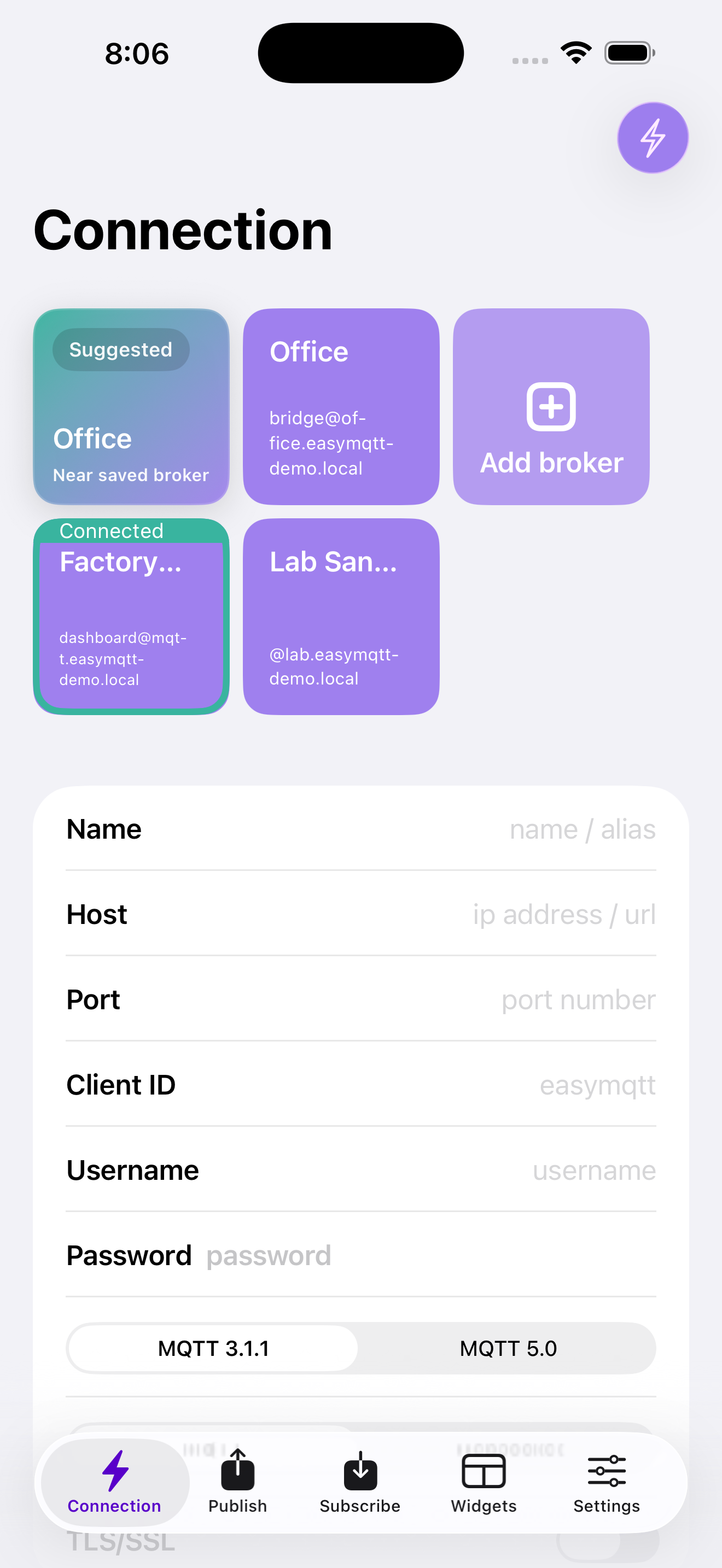
Connect to any MQTT broker
Subscribe

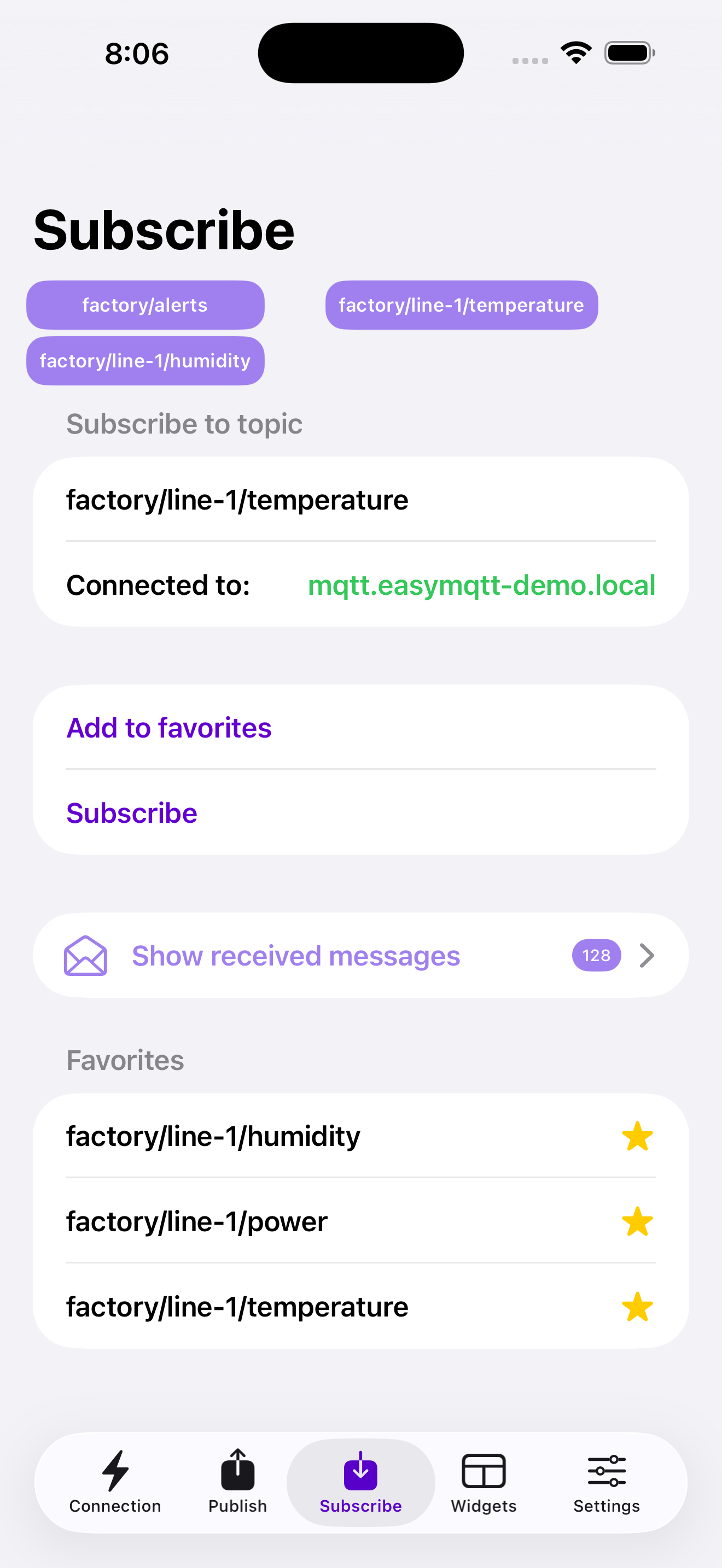
Inspect every message as it arrives

Subscribe with wildcards, save favorite topics, filter by QoS and retained state, and inspect JSON payloads with readable formatting when you need to debug fast.

See every message, the moment it arrives
Publish

Publish commands without friction

Send one-off messages or save repeatable commands as favorites. Set QoS and retain, then fire off device actions, scene changes, test payloads, or Zigbee2MQTT commands in seconds.
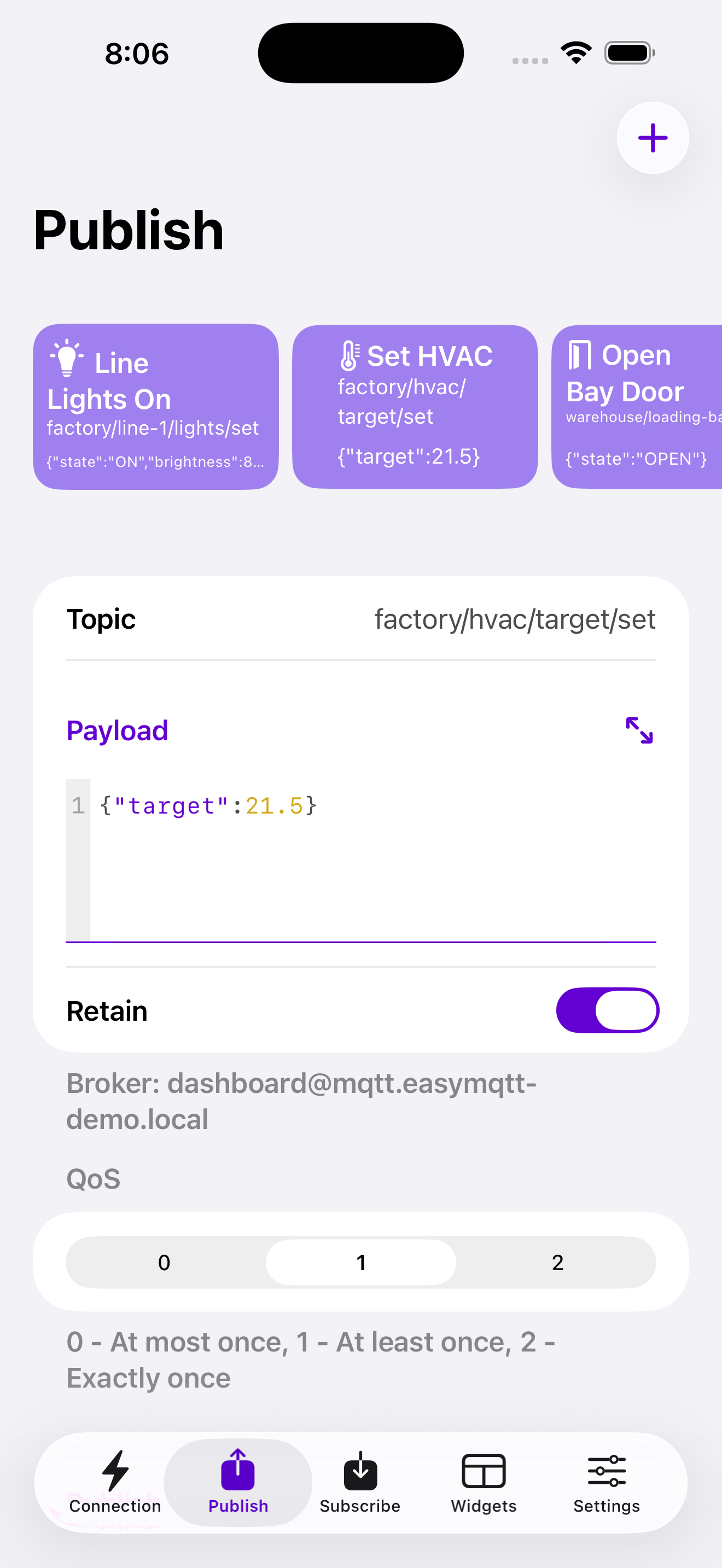
Publish in a tap
Widgets

Turn topics into mobile dashboards

Build graph and multi-graph widgets for sensor data like temperature, humidity, energy, and production metrics. See the numbers that matter without reopening the app.
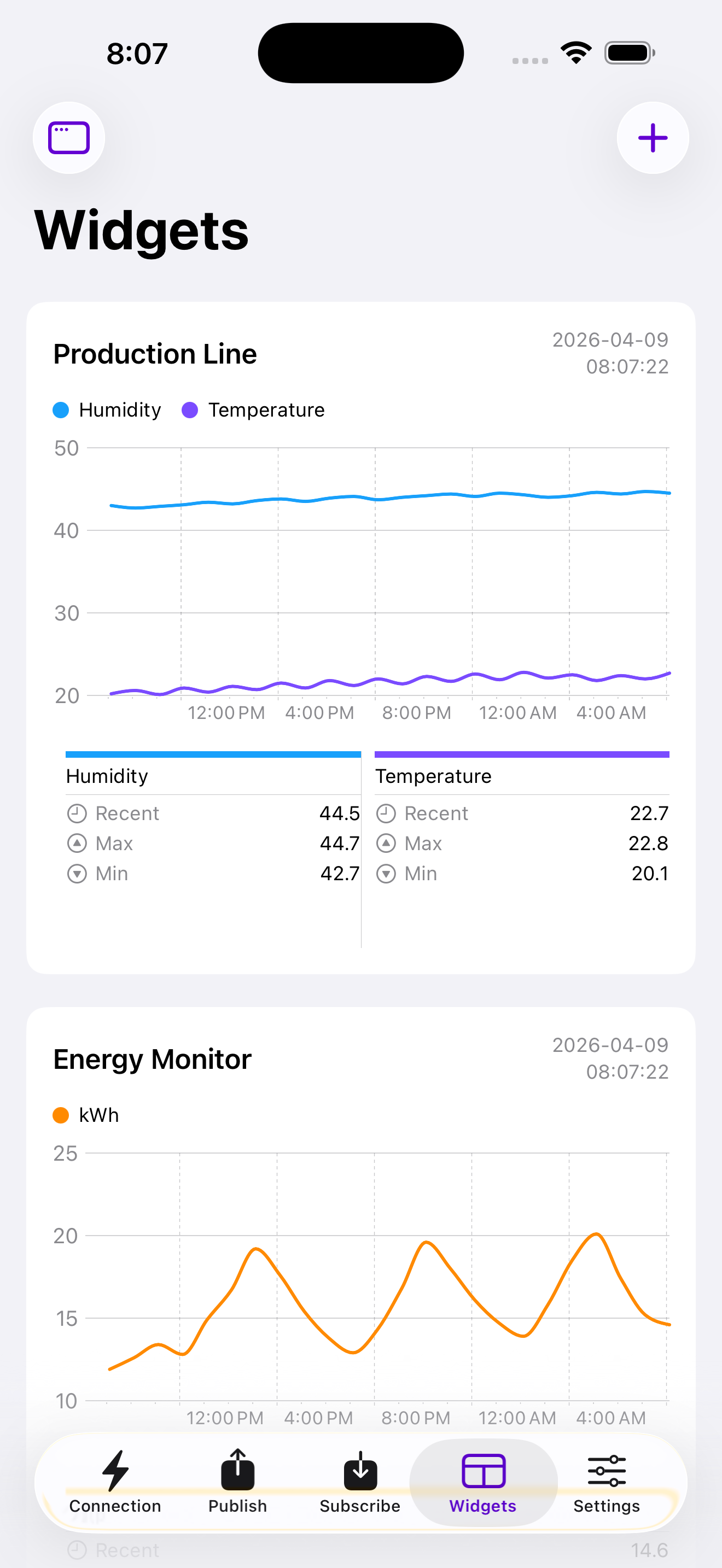
Live data on your Home Screen
Locations

Pick the right broker for the place

Save where a broker is usually used, keep a connection history on device, and let Suggested Broker surface the nearest saved broker when you're on site.
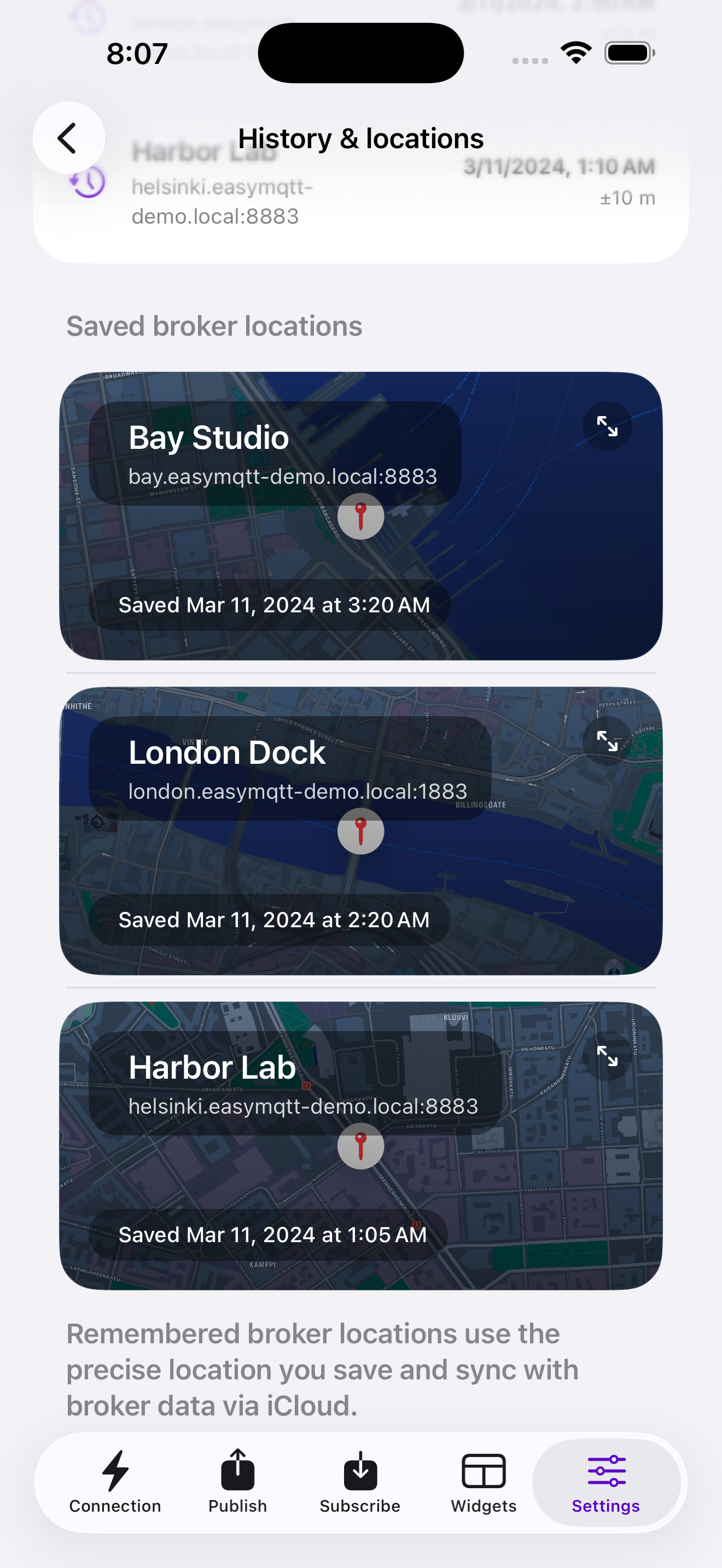
Brokers know where they live
Workflows

Shortcuts, widgets, and fast actions. All MQTT‑native.

Publish with Siri, fetch retained state into Shortcuts, and pin MQTT data to your Home Screen. EasyMQTT plugs brokers, topics, and payloads into the Apple automation stack without making you build around a cloud relay first.

Subscribed · 4 topics · last payload 1s ago
"Hey Siri, I'm home"
Publishes home/mode = arrived
Graph widget · Living room
Sparkline from sensors/livingroom/temp
📈
Fetch from Shortcuts
Read a retained payload into any Shortcut flow
Who uses it

Home automators, field engineers, and industrial teams.

Home automation

Connect Home Assistant, Zigbee2MQTT, and ESPHome topics to a mobile control panel you can actually use every day.

  • Home AssistantMQTT statestream
  • Zigbee2MQTTzigbee2mqtt/#
  • ESPHomeesphome/#

Remote monitoring

Check production lines, gateways, HVAC systems, and sensor fleets from the field. Perfect for quick diagnostics, live checks, and glanceable dashboards on iPhone and iPad.

  • Common datatemperature / humidity / power
  • ProtocolsMQTT / WebSockets
  • SecurityTLS / certificates

MQTT debugging

Use EasyMQTT when you need to sniff a topic, verify a retained state, test a command payload, or confirm a broker is behaving before you leave site.

  • Wildcards# +
  • Retained messagesinspect and publish
  • JSON payloadsreadable in app

iPhone

iOS 16+

iPad

iPadOS 16+ · ideal for dashboards and message review

Mac

Mac Catalyst · same broker, publish, and monitoring workflows

Shortcuts

Send and fetch MQTT data inside Apple Shortcuts

EasyMQTT Plus

Unlock the power user workflows.

EasyMQTT is free to start. Plus unlocks the workflows heavy MQTT users care about: more saved brokers, reusable commands and topics, advanced widgets, Shortcuts, and background-friendly mobile monitoring for people who work with MQTT every day.

Get EasyMQTT Plus
Multiple brokers Save as many brokers as you like and switch in a tap.
Publish favorites Save recurring payloads for fast repeat publishes.
Subscribe favorites Keep your go-to topics one tap away.
Siri Shortcuts Publish and fetch MQTT data inside Siri and Shortcuts flows.
Multi-graph widgets Build richer dashboards with multiple MQTT graphs in one widget.
Connection Keeper Keep active mobile workflows going in the background and preserve broker context on the go.
Support

Need help? Start here.

Troubleshooting guides, setup tutorials, and direct support for real MQTT workflows.

The app won't connect to my broker+
First, try a known-good public broker like broker.hivemq.com to confirm the app can reach the network. If that works, check your host, port, credentials, TLS settings, and client ID. The most common problems are the wrong port, a TLS mismatch, or stale broker credentials.
How do I configure Siri Shortcuts?+
Open the Shortcuts app, create a new shortcut, and search for EasyMQTT. You'll find actions for Send Message, Send Favorite, and Fetch Message. Pick a saved broker, enter a topic, and either hardcode a payload or pass one in from another action.
I can't see any brokers when setting up a Shortcut or Widget+
Make sure the broker is saved in the app first. Add it from the Connect screen or under Settings → Brokers, give it a clear name, then save it. Saved brokers are what the app exposes to widgets and Shortcuts.
What do the Send Message and Fetch Message shortcuts do?+
Send Message publishes a payload to a topic on a broker, with optional retain. Fetch Message subscribes to a topic and returns a message value so you can feed MQTT state into the rest of your Shortcut. It works best when the topic has a retained message available.
What types of widgets are there?+
EasyMQTT supports MQTT widgets for quick-glance values and graph widgets for values over time. Plus unlocks richer multi-graph widgets with live update support inside the app, so you can build a small dashboard around the topics you watch most.
Does EasyMQTT support TLS / SSL?+
Yes. EasyMQTT supports TLS/SSL, client certificates imported as PKCS#12 files, and MQTT over secure WebSockets. If your setup needs it, you can also allow untrusted certificates for brokers that are using self-signed or otherwise non-standard trust chains.
Is my data synced across devices?+
Saved brokers, favorites, and remembered broker locations can sync through iCloud. Live messages stay on device, and connection history is stored locally on the device where it was recorded.
Does EasyMQTT run on Mac?+
Yes. EasyMQTT runs on Mac with the same core broker, publish, subscribe, widget, and Shortcuts workflows available on iPhone and iPad through the Mac Catalyst build.
Tutorial

Graphing Zigbee2MQTT sensors with widgets

Turn Zigbee2MQTT temperature, humidity, or power readings into glanceable MQTT widgets in a few minutes.

Read article
Guide

Home Assistant + EasyMQTT: a quick start

Connect EasyMQTT to your Home Assistant broker, subscribe to key topics, and trigger MQTT actions from Siri and Shortcuts.

Read article
Tips

Five Siri Shortcuts we can't live without

From good‑morning routines to retained-state checks and NFC actions, these are the automations MQTT users set up again and again.

Read article
Reference

MQTT wildcards, explained with real topics

When to use + versus #, with real MQTT topic examples from home automation and device debugging.

Read article

Still stuck?

Reach out and you'll hear back from the developer. Good support matters when you're debugging brokers, payloads, widgets, or automation flows.

support@easymqtt.app Email support for setup and troubleshooting
Community Discord Compare setups, shortcuts, and widget ideas
Full documentation Setup guides, MQTT tips, and feature walkthroughs

Take MQTT with you, wherever you work.

Free to download. Upgrade to Plus for heavier workflows. No ads, privacy-first, and built for people who actually use MQTT.